Pre Setup
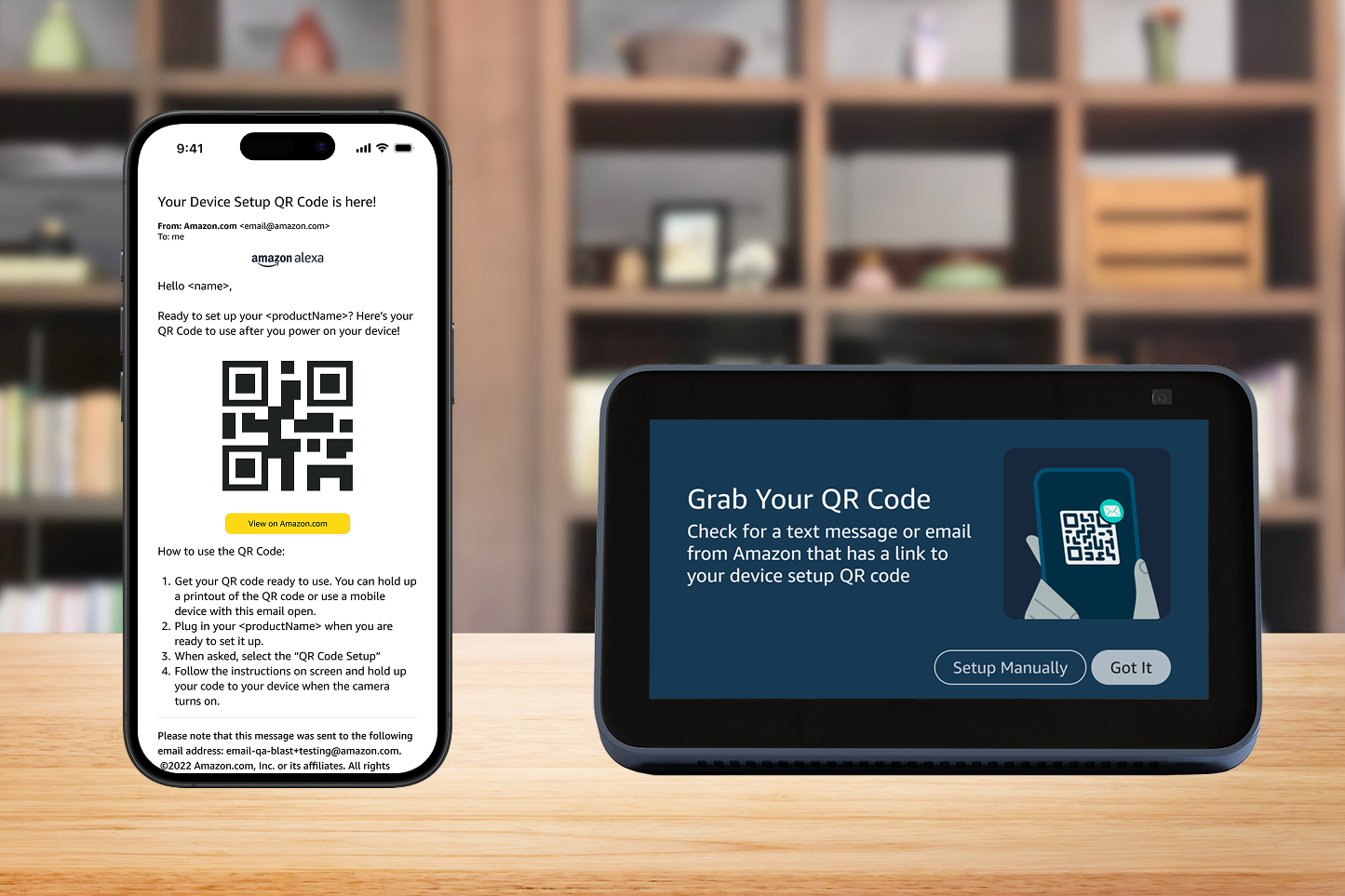
Users can setup a device, for themselves or others, online or in the app before it arrives at their doorstep.
Year
2022
Team
Alexa Aging & Independence
My Role
UX Designer
Devices
Web, Echo Devices, Email
The Problem
Research showed older adults found setting up Echo devices hard. Many didn’t know their WiFi or Amazon login details, or didn’t have accounts. They relied on kids or friends to help set up the device.
Our Opportunity
Amazon already had credential storage and gifting tech, and the pandemic familiarized older users with how to use QR codes. These features could be combined to make it easier for any user to setup a device for themselves or for a loved one.
-
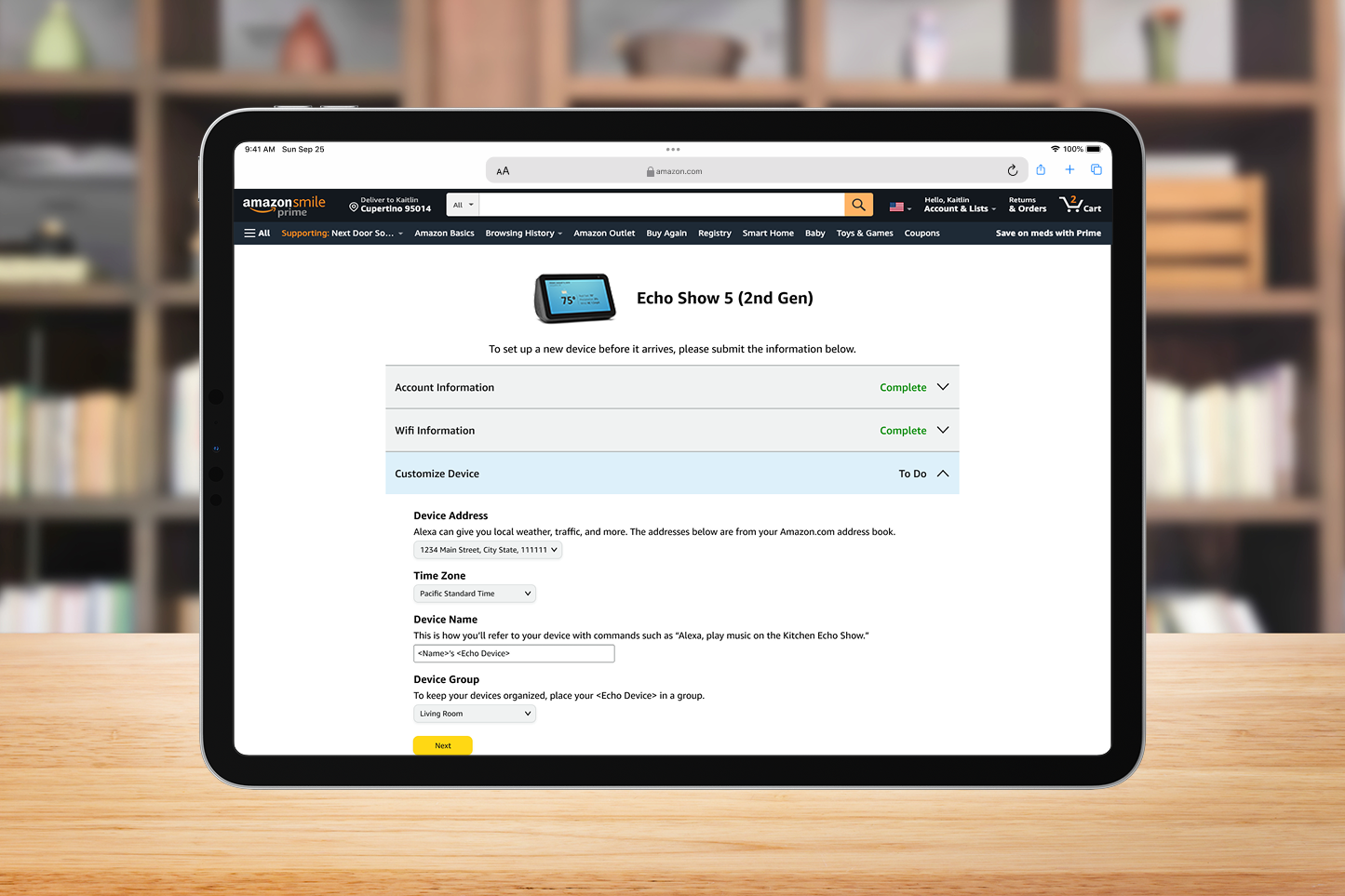
Users were given a one page experience to enter in information for their new device.
-
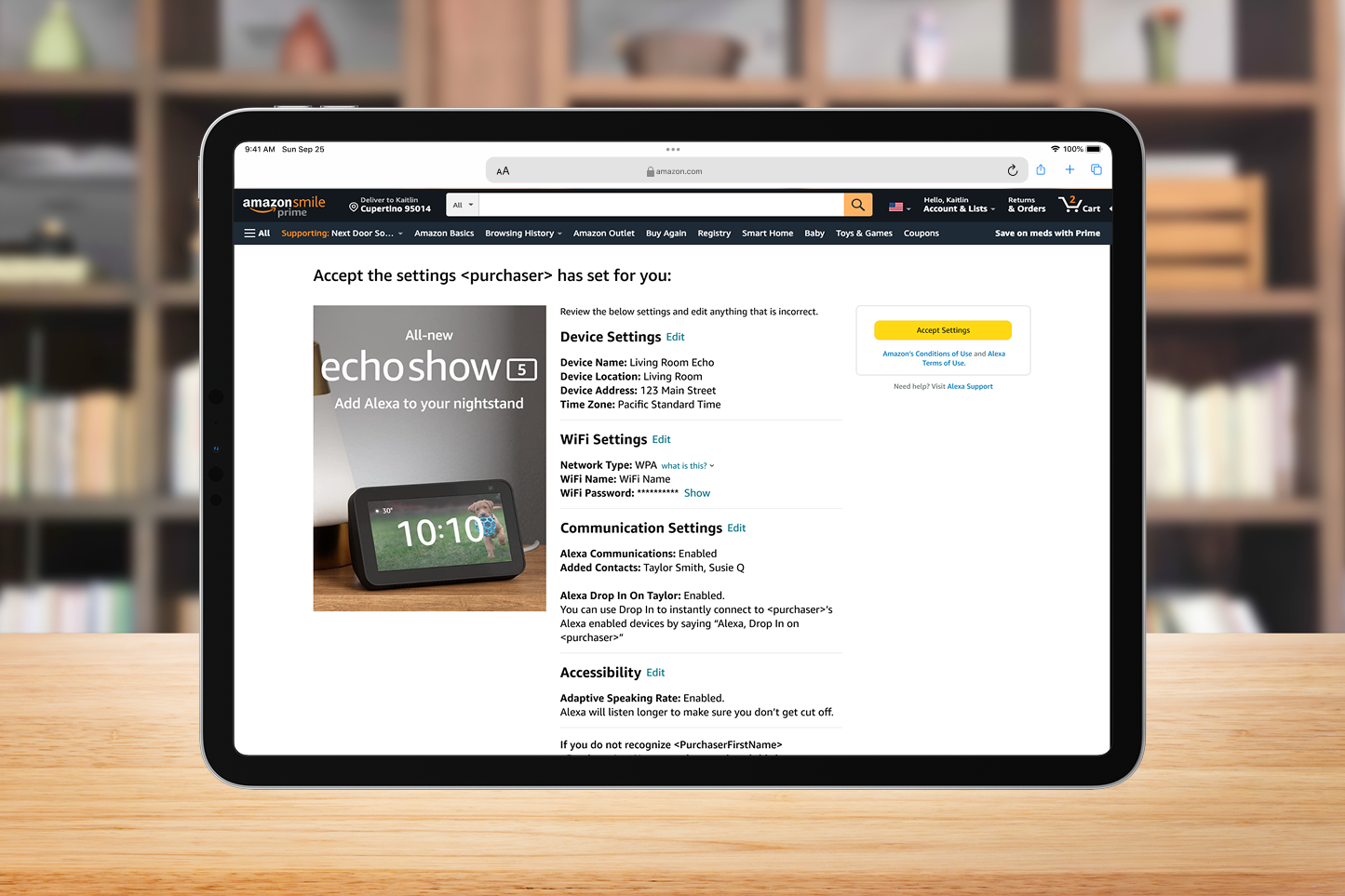
Gift recipients could securely add the device to their account and even update information as needed.
-
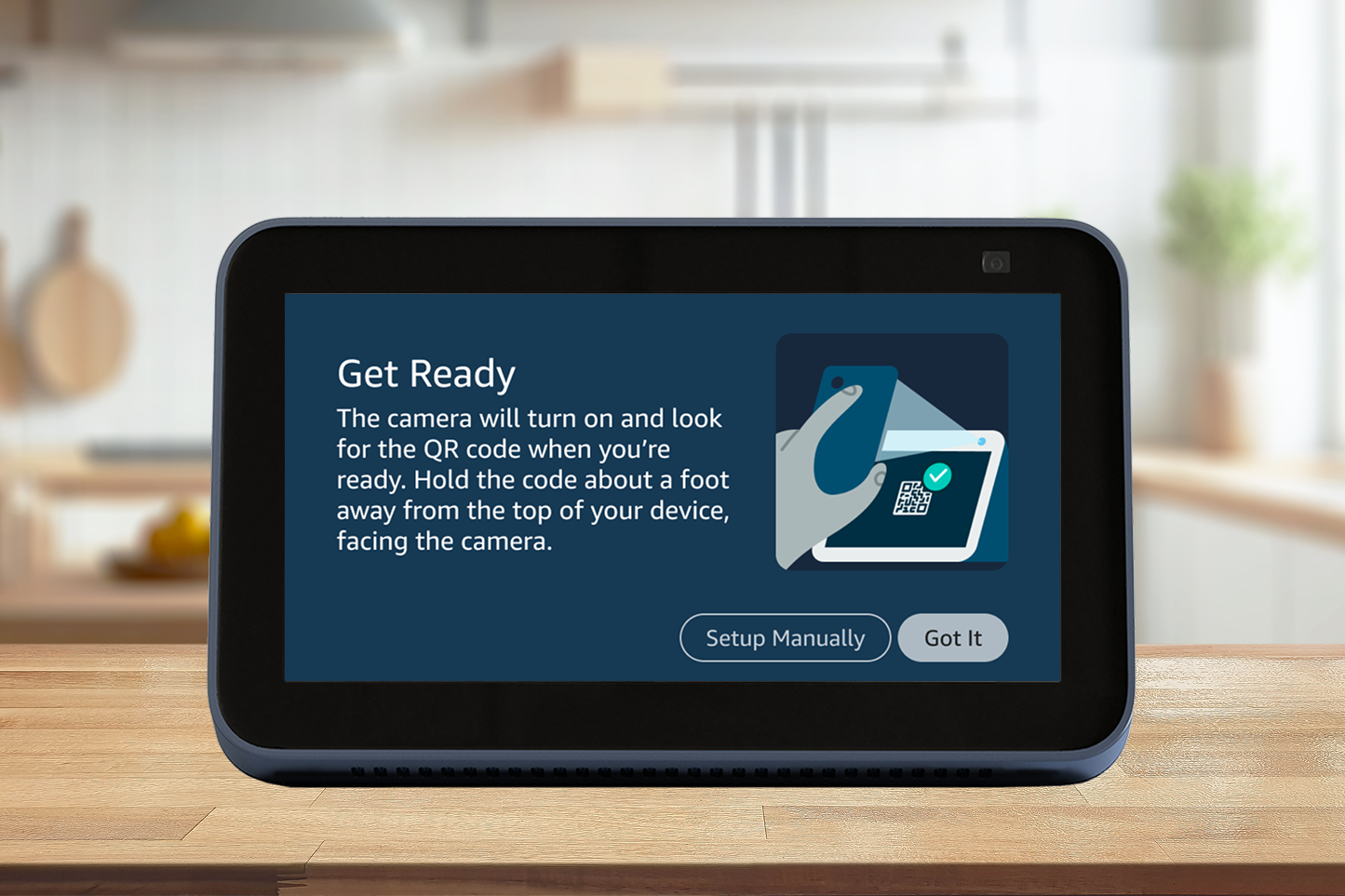
I used what I learned from Show and Tell to create easy to follow guidance for new users.
-
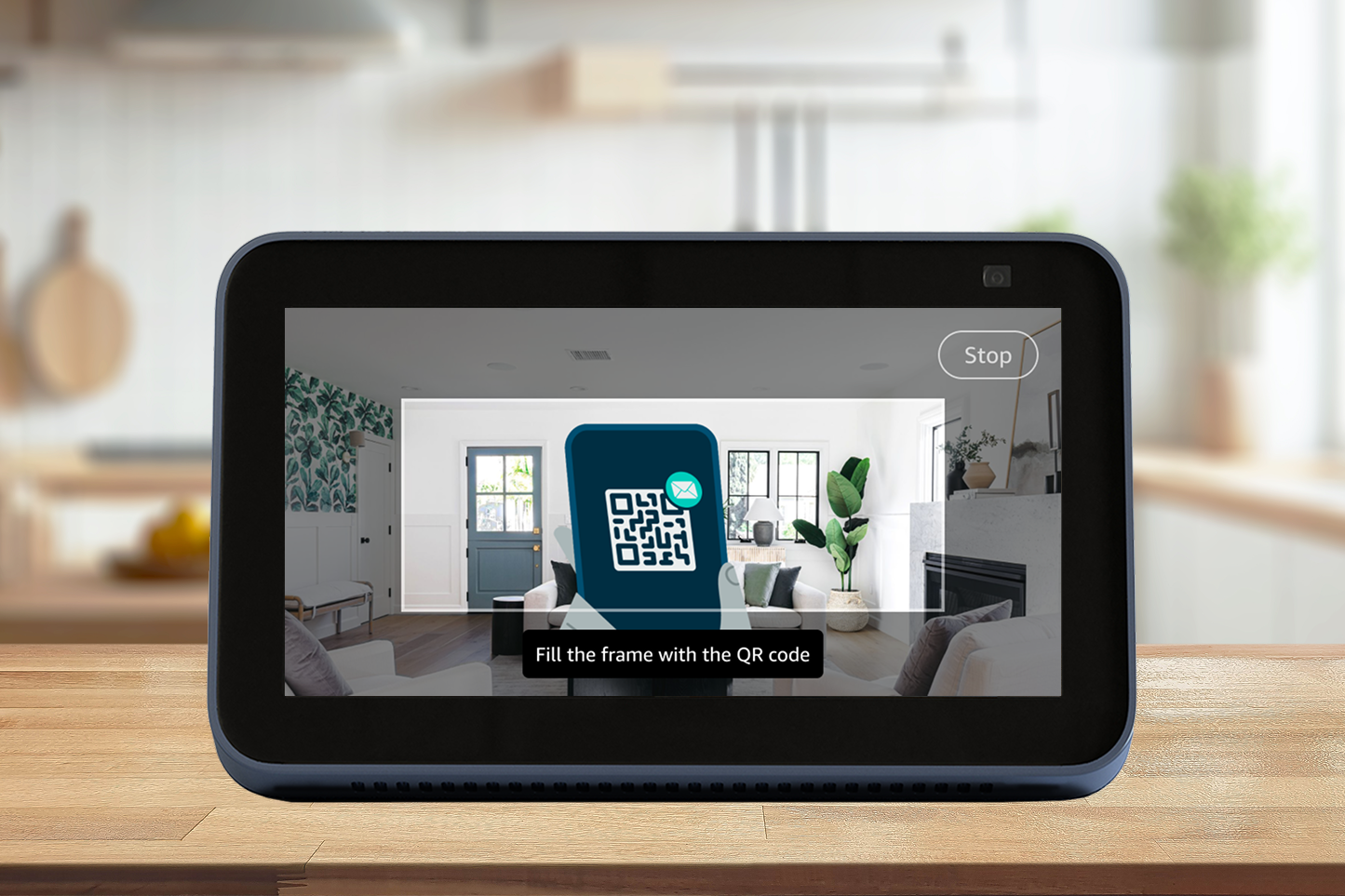
I created on screen guidance to help users align their QR code up with the on device camera.
My Role
I was the UX Designer for this project and collaborated closely with teams across the Alexa and Amazon.com organizations. My stakeholders for this project spanned our device hardware teams, Alexa and Online design teams, Legal counsel, and various product teams.
I designed the full end to end flow for this feature. I adapted the on device setup flow for a web interface and the gifting flow for devices bought for a loved one. Additionally, I created the on device UX for scanning the QR code sent to users containing their saved credentials, including a new on device scanning UI.
I was responsible for:
Innovative Application of Existing Technology. Discovered and implemented a novel way to leverage e-book gifting technology to enable remote device setup for others.
Cross-Organizational Alignment and Approval. Presented intricate user flows to stakeholders across various organizations to secure alignment and necessary approvals.
Technical and Privacy Collaboration. Partnered with engineering and privacy teams to develop technical solutions that adhered to high standards for customer privacy and satisfaction.
Comprehensive UX Documentation & Design. Generated detailed UX mocks and specification documentation for web, email, and device interfaces, maintaining consistency across two distinct design libraries.
Designing for Accessibility and Simplicity. Successfully simplified a complex user flow, making it easily understandable for older and less tech-savvy users.
Challenges Faced
Addressing Complex Dependencies
Analyzing the device onboarding process revealed many dependencies, making information management complex. To proactively address this, I first created a user flow diagram and shared it with the team and our dependency teams before designing any views. This early collaboration with engineering, legal, and privacy teams allowed them to provide crucial feedback, significantly reducing rework later in the design cycle.
Meeting High Privacy and Trust Expectations
The project had strict privacy and trust requirements, which the initial product requirements didn't meet. The team struggled with the necessity of needing another person's password for device setup. I investigated our existing sharing features and found a solution in the e-book gifting feature. I met with the relevant teams to learn more and create a simple solution. The Product team was skeptical, so I created a demo for leadership, which successfully gained alignment to use my proposed experience.
Streamlining Complex Flow Reviews
The feature's end-to-end process was complicated, spanning web, email, and device interfaces, multiple users, and several internal organizations. This led to long initial presentations with many questions. To solve this, I modeled my presentations after Amazon's document-reading culture. I created a self-guided, interactive Figma prototype/presentation that covered the entire experience, accounting for different team dependencies. Attendees reviewed it independently, leaving comments like a document review. This approach significantly cut down review time, boosted the approval process's efficiency, and was later adopted by other teams for their complex flows.
There’s more to this story
This overview only scratches the surface of my work on this project. I can provide the full story from problem to solution, including iterations, strategy, and research, one-on-one. Reach out to hear more